F-18 CONSOLE PANELS
WITH DCS-BIOS SYNC.
BOTH DIRECTIONS.
Left and right F/A-18C cockpit console panels for DCS World. Your switch inputs reach the sim. Cockpit state — APU status, Master Arm, warning lights — comes back to the panel. Powered by the DCSPitHIDC board from DCSPit.com. Engineered by PrototyperLab.com.
Most sim panel hardware sends your switch inputs to DCS. These panels also receive cockpit state data back from DCS via DCS-BIOS, so indicator lights and switch positions on the physical panel reflect what's actually happening in the sim. Particularly useful in VR, where you can't check the screen without breaking immersion.
Panel → DCS
Every switch and encoder sends its state to DCS World via USB HID. Registers as a standard game controller. Plug in and DCS sees it immediately — no drivers, no setup beyond DCS-BIOS.
DCS → Panel
DCS-BIOS exports cockpit state over USB. APU READY, MASTER CAUTION, gear indicators, Master Arm — the panel's LEDs and indicators update in real time from what DCS actually knows.
DCSPit.com
The controller board inside each panel is the DCSPitHIDC by DCSPit.com. F/A-18C pre-loaded: 563 inputs, 57 encoder functions, 125 cockpit light outputs. Standalone board available at dcspit.com for DIY builds.
Left and right F/A-18C console panels. DCSPitHIDC board pre-installed and pre-configured. Each panel ships in approximately 1 week build time plus 7–12 days worldwide transit.
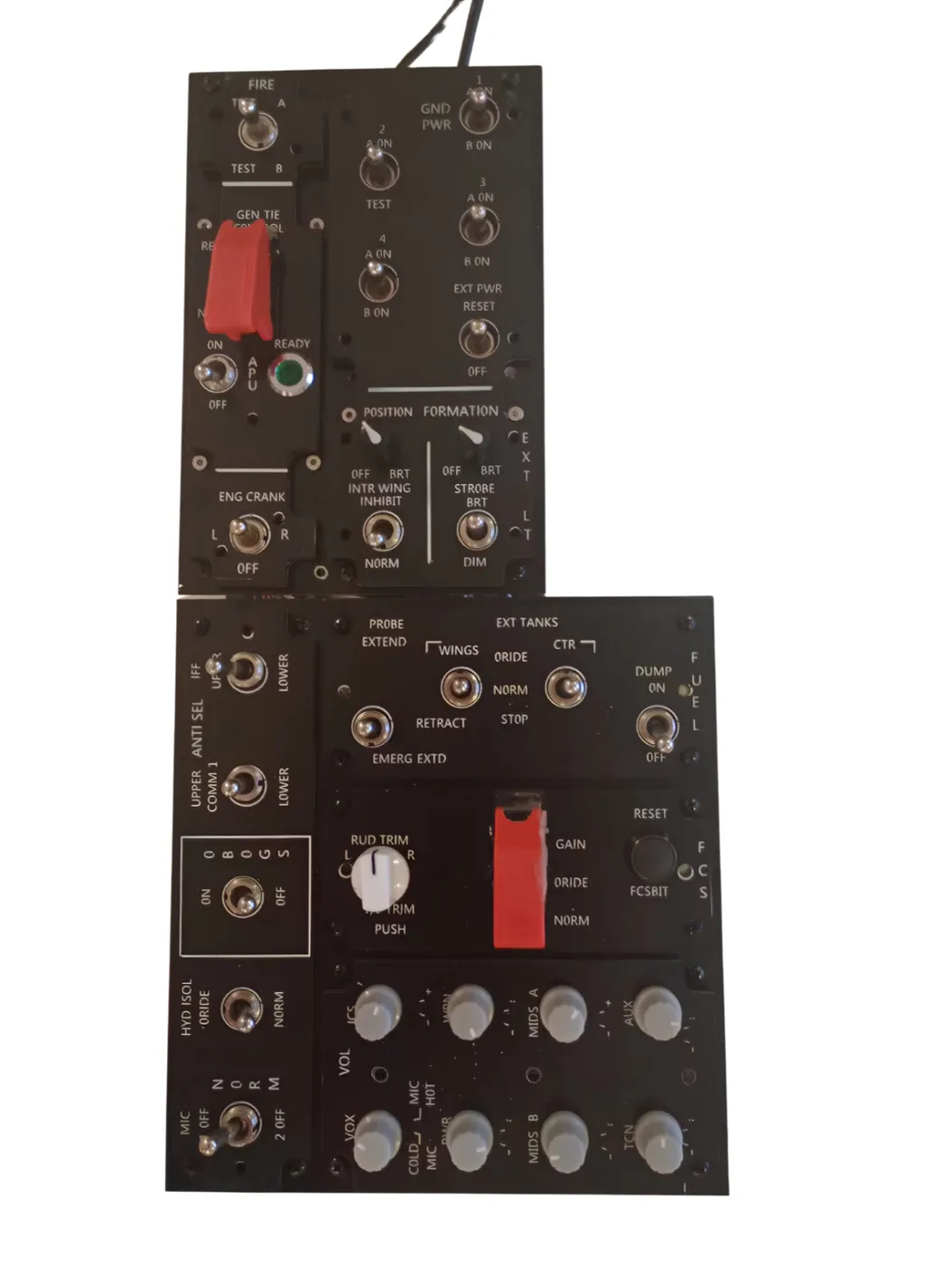
APU, electrical, fuel, hydraulics, environmental control, antenna select. Full left console with DCS-BIOS sync. Pre-wired, pre-configured, plug in via USB-C.
Sensors, EW/ECM, weapons management, comms, lighting. Master Arm state, weapon selection, and radar mode all sync from DCS to the panel.
The panel hardware is built around the DCSPitHIDC controller board by DCSPit.com. It runs bare-metal firmware on an STM32H743 — no RTOS, no middleware — and connects as a composite USB device: one cable carries both HID game controller input and DCS-BIOS serial communication simultaneously.
Configuration is stored on 8MB of onboard flash. Plug into any PC and both panels work immediately — no setup on the new machine. The Windows config app from DCSPit.com is free and included for diagnostics and rebinding if needed.
Both panels and the DCSPitHIDC board are engineered and manufactured by PrototyperLab.com, a product prototyping and manufacturing firm in Atlanta, GA.
| Capability | Standard panel | These panels |
|---|---|---|
| Switch inputs → DCS | ✓ | ✓ |
| DCS state → panel LEDs | ✗ | ✓ |
| APU/engine indicators | ✗ | ✓ |
| Master Arm feedback | ✗ | ✓ |
| Warning light sync | ✗ | ✓ |
| Single USB-C (in + out) | Input only | ✓ |
| Config on board | PC-dependent | ✓ 8MB flash |
| Helios compatible | ✓ | ✓ |
| Works in VR | Inputs only | Full sync |
An optional 3-axis motion platform reads DCS telemetry and moves in pitch, roll, and heave. Not required for the panels to work — it's a separate add-on for builders who want physical G-force feedback. Carrier operations are where it's most useful.
- X
Pitch
Nose attitude synced to DCS flight model
- Y
Roll
Bank angle — turns, breaks, emergency maneuvers
- Z
Heave
Cat launches, tailhook arrests, hard landings
These are the communities where F-18 simpit builders have been documenting their builds for years. Good starting points for anyone new to DCS home cockpits.